
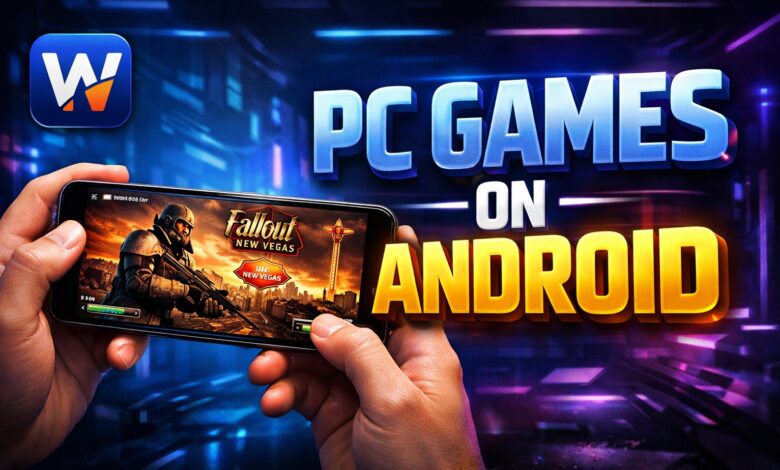
For years, the boundary between mobile gaming and PC gaming has been a rigid wall. However, with the emergence of powerful Android hardware and sophisticated translation layers, that wall is finally crumbling. At the forefront of this revolution is Winlator, an open-source Android app that allows users to run Windows (x86/x64) applications and games on their mobile devices using Wine and Box86/Box64.
But with thousands of PC games in existence, which ones actually work? In this guide, we explore the best games on Winlator, providing you with a curated list of titles that offer the best performance, stability, and playability on your smartphone.
What is Winlator and How Does It Work?
Before diving into the games, it is essential to understand the tech. Winlator acts as a “wrapper.” It utilizes Wine to translate Windows commands into something Linux (and by extension, Android) can understand. It also uses Box86/Box64 to emulate the x86 instruction set on ARM-based processors (like the Snapdragon chips in your phone).
To get the best experience, you generally need a device with a Snapdragon processor (due to the superior Adreno GPU drivers) and at least 8GB of RAM.
Top 10 Best Games to Play on Winlator
1. Fallout: New Vegas & Fallout 3
The “Gold Standard” for Winlator gaming is undoubtedly the Bethesda-era Fallout games. Because these games were built on the Gamebryo engine, they are surprisingly well-optimized for translation layers.
-
Performance: On a Snapdragon 8 Gen 2 or Gen 3, you can achieve a stable 60 FPS at 720p.
-
Why it works: The slow-paced nature of the VATS combat system makes it perfect for touch controls or a mobile controller like the Backbone One.
2. The Elder Scrolls IV: Oblivion
While Skyrim is playable on high-end devices, Oblivion is the sweet spot for Winlator. It offers a massive open world, deep RPG mechanics, and runs beautifully on mid-to-high-range Android devices.
-
Performance: Excellent. Most users report very few crashes and consistent frame rates.
-
Tip: Use the “Turnip + Zink” drivers in Winlator settings for the best graphical fidelity.
3. Hades
Supergiant Games’ masterpiece, Hades, is one of the best indie games ever made. Since it isn’t graphically intensive but requires high precision, it is a perfect candidate for Winlator.
-
Performance: Flawless. It feels like a native Android port.
-
Why it works: The roguelike “run-based” gameplay is ideal for mobile sessions.
4. Batman: Arkham Asylum
Want to see what your phone is truly capable of? Batman: Arkham Asylum is a graphical powerhouse that runs surprisingly well on Winlator. The Unreal Engine 3 is highly compatible with the emulator’s translation layers.
-
Performance: Solid 30-45 FPS on flagship devices.
-
Note: You may need to tweak the resolution to 800×600 for a smoother experience during intense combat.
5. BioShock (Original and Remastered)
The atmospheric world of Rapture is now portable. Both the original and the remastered versions of BioShock are playable, though the original version generally offers better stability on Winlator.
-
Performance: High. The game handles the Wine translation very effectively.
6. Cuphead
Cuphead is famous for its “rubber hose” animation style and its brutal difficulty. Because the game is 2D-based, it doesn’t tax the mobile GPU as much as 3D titles, making it one of the most stable experiences on the platform.
-
Performance: Perfect 60 FPS.
-
Note: A physical controller is highly recommended; the touch controls are too difficult for this level of precision.
7. Dishonored
Stealth-action games are a rarity on mobile, but Dishonored changes that. The stylized graphics hold up incredibly well, and sneaking through the streets of Dunwall on a 6-inch screen feels like magic.
-
Performance: Good. Expect some frame drops in large open areas, but the gameplay remains fluid.
8. Mass Effect (Legendary Edition)
While the Legendary Edition is more demanding, the first Mass Effect game within the collection is quite playable on modern Android flagships. Experiencing the epic space opera on a handheld device is a dream come true for many RPG fans.
-
Requirement: You will need a high-end device (Snapdragon 8 Gen 2/3) to maintain playable frame rates.
9. Tomb Raider (2013 Reboot)
The 2013 reboot of Tomb Raider was a landmark in cinematic action. Remarkably, Winlator can handle Lara Croft’s adventure with impressive detail.
-
Performance: Medium. You may need to set graphics to “Low” or “Normal,” but it remains a visually stunning experience.
10. Civilization V
If you prefer strategy over action, Civilization V is perhaps the best strategy game on Winlator. The turn-based nature means that even if you experience minor frame drops, it doesn’t negatively impact the gameplay.
-
Why it works: It supports touch-friendly navigation, making it feel natural on a tablet or large phone.
How to Optimize Winlator for Best Performance
To play the best games on Winlator, you can’t just “plug and play.” You need to optimize your container settings. Here are the key tweaks:
-
Select the Right Driver: For Snapdragon users, the Turnip (Adreno) driver is almost always the best choice. It provides the highest compatibility and speed.
-
Resolution Scaling: Don’t try to run games at your phone’s native 1440p or 1080p resolution. Set the Winlator container to 1280×720 (720p) or 800×600 for a massive performance boost.
-
DXVK Versions: Different games require different DXVK versions. If a game crashes on launch, try switching from DXVK 2.3 to 1.10.3.
-
Audio Buffering: If the game audio sounds “crackly,” increase the Audio Buffer in the environment settings to 4096 or higher.
-
CPU Affinity: For multi-core processors, ensuring that Winlator is utilizing all cores (usually selecting all 8 cores in settings) can help prevent stuttering.
Recommended Hardware for Winlator Gaming
Not all Android phones are created equal. To run the “Best Winlator Games” list, your device should ideally have:
-
Processor: Snapdragon 865, 870, 888, 8 Gen 1, 8 Gen 2, or 8 Gen 3. (Note: MediaTek and Exynos chips have poor GPU driver support for Winlator).
-
RAM: 8GB minimum; 12GB+ is preferred for open-world games like Fallout or GTA V.
-
Storage: Fast UFS 3.1 or 4.0 storage to reduce loading times.
The Legal and Safety Aspect
When using Winlator, ensure you are using your own legally purchased game files from platforms like GOG.com. GOG is preferred over Steam because the games are DRM-free, meaning they don’t require a background client to run, which significantly improves compatibility and performance on Winlator.
Conclusion: The Future of PC Gaming on Mobile
The ability to play titles like Fallout: New Vegas or BioShock on an Android device was a fantasy just five years ago. Today, thanks to the development of Winlator, it is a reality. While the setup requires a bit of patience and “tinkering,” the reward is the ultimate handheld gaming library.
As Winlator continues to receive updates and mobile processors become even more powerful, the list of playable games will only grow. For now, start with the classics listed above, grab a Bluetooth controller, and turn your smartphone into a portable gaming PC.
Keywords: Best games on Winlator, Winlator tutorial, PC games for Android, Fallout New Vegas Android, Winlator settings, run Windows games on Android, Snapdragon 8 Gen 3 gaming.

